Flavor is a spectrum measurement and analysis software developed by SIMTRUM PTE LTD which is used for the setting and operation of SIMTRUM's Optical Fiber Spectrometers, Raman Spectrometers, Lasers and other equipment.
Below are the User's Manual, Driver & Software:
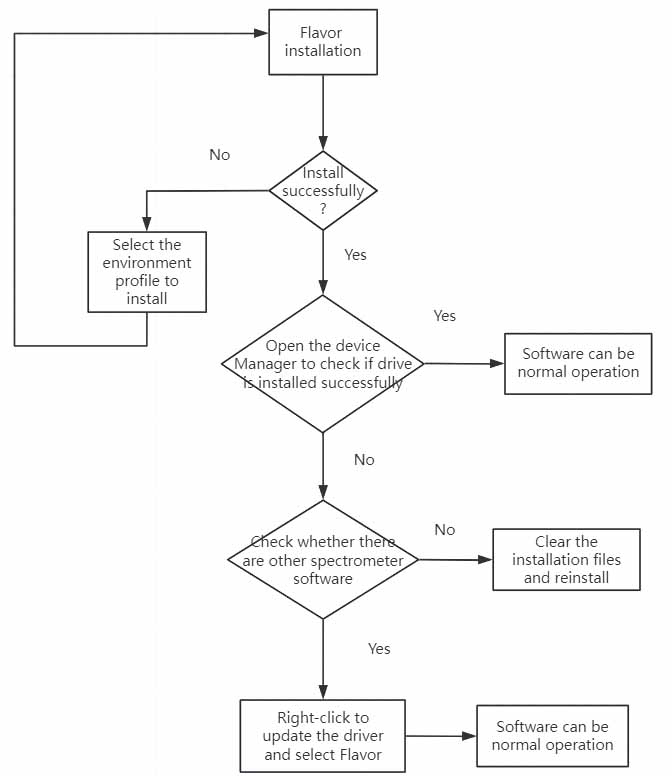
The latest version of the software is Flavor4.0.1.  Before installation, please ensure that the compressed package you receive is the latest version. For our latest version of the software, there is no need to install the driver software separately. The driver program will be automatically installed along with the flavor software. After successful installation, You can open the device manager to check if the driver software can be successfully recognized. If it can be successfully recognized, the software installation is successful. After opening the software, connect the spectrometer device to the computer via a USB data cable, and the measurement operation can be carried out normally.
If the device manager fails to successfully recognize the Driver, you can check if other similar software is installed on your computer. Right-click and select Update Driver Program, switch to the flavor installation program, and reconnect your computer for testing.
If errors keep coming during the installation process, it indicates that the corresponding installation environment  is missing. You can choose the runtime library file we provide for installation. After installing the corresponding environment file, reinstall the flavor software, and it will be successfully installed and run normally.
If there is a need for secondary development, we can also provide an SDK for download.
For the specific installation process, please refer to the following figure.
The interface of the latest version of the software is shown in the following figure:
.jpg)
The four modules are: the operation bar, the equipment and parameters bar, the spectrum panel, and the spectrum storage area.
Flavor mainly offers four sampling modes: free detection, sequential detection, high-speed detection, and concentration detection.
The differences among various detection modes are as follows:
| Free detection |
The most commonly used mode allows you to view the spectrum of a single measurement and also refresh and display the spectra of consecutive measurements. |
| Sequential detection |
This mode can be selected when it is necessary to monitor the trend of the spectral intensity of a certain wavelength (or a certain range of wavelengths) changing over time. |
| High-speed detection |
When it is necessary to continuously collect spectral data with an extremely short integration time, choosing this mode can avoid frame loss. |
| Concentration detection |
According to Beer-Lambert's law, a model of substance concentration vs. absorbance is established, which facilitates the detection of the concentration of unknown samples. |
This software can be used to achieve functions such as neighborhood averaging, wavelet smoothing, fluorescence subtraction, background subtraction, nonlinear correction and radiation calibration.
In addition, in the time series monitoring mode, if you wish to monitor the changing trend of the light intensity within a certain band over time, you can set "start point" and "end point" (the starting wavelength and the cut-off wavelength) respectively in the software, thereby achieving the monitoring of the light intensity within a certain band. For more information on software usage, please refer to the user manual 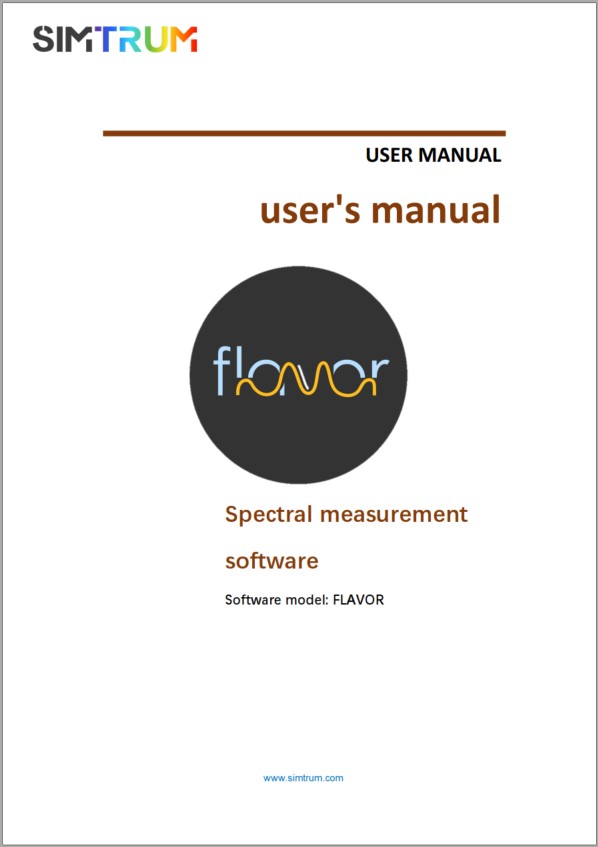 .
.
If you have any questions, please Click Here to drop us a message for any corrections.